

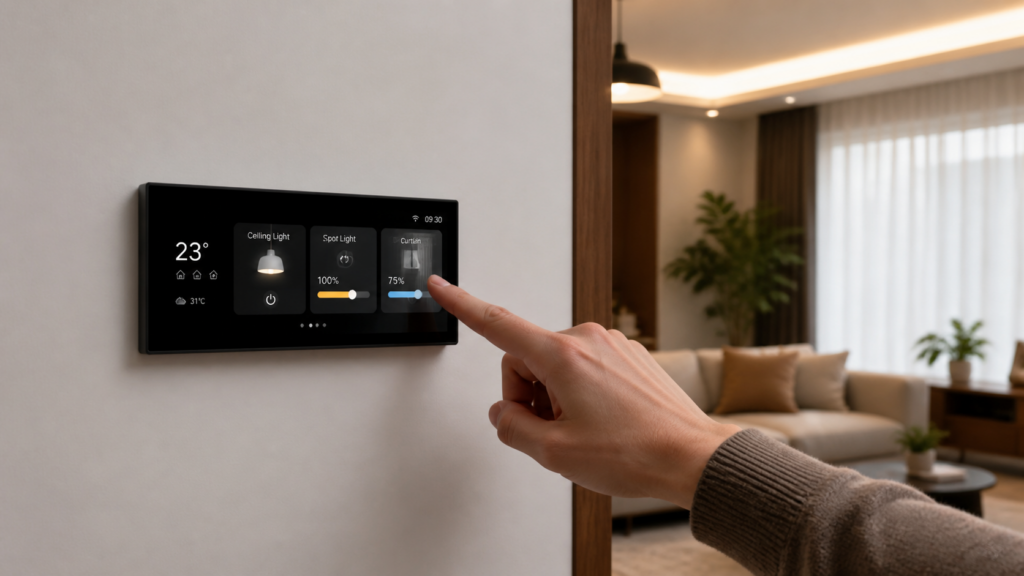
Aqara Panel Hub S1 Plus: Home Assistant Local Setup
The Aqara Panel Hub S1 Plus (model number MP-K03D) is the kind of device that looks straightforward on the product page and then immediately generates forum threads when people actually try to use it. A wall-mounted touchscreen that’s also a Zigbee hub that also talks Matter — it sounds like the natural center of a local-first smart home. In practice, there’s a critical distinction buried in the spec sheet that shapes everything about how you integrate it with Home Assistant.
I’ve been watching the early-adopter discussions closely, both from English reviewers and from Chinese tech communities on IT之家 (ITHome) and V2EX who had hands-on time before international units shipped. What comes through clearly is that buyers who understood the S1 Plus as a 中控屏 (zhōng kòng píng, central control display) — a hub-and-panel layer sitting above their existing Aqara ecosystem — had a good experience. Buyers who expected it to become a Home Assistant wall terminal, or a Zigbee2MQTT coordinator, were disappointed.
This guide covers what actually works for HA integration, what the two available paths each give you, and where the gaps are.
What the Aqara Panel Hub S1 Plus actually is
The hardware is a 6.9-inch 1440×720 touchscreen panel with built-in Wi-Fi (802.11 a/b/g/n/ac, both 2.4 and 5 GHz bands), Zigbee 802.15.4, and Bluetooth. It includes two wired relay switches and six wireless switches, and can coordinate up to 60 Zigbee sub-devices. Power comes in via USB-C at 5V for standalone use, or it hardwires into mains (200–240 VAC) for a permanent wall installation.
The “hub” in the name is doing real work. The S1 Plus runs its own Aqara-managed Zigbee coordinator — your Aqara sensors and switches pair to it directly. Automations stored on the device run locally, without cloud, without internet.
The part that trips people up is the Matter story. The S1 Plus is a Matter bridge, not a Matter controller. It can expose the Aqara sub-devices it manages to Matter platforms — Apple Home, Google Home, Alexa, and Home Assistant’s Matter integration. But it cannot reach out and control third-party Matter or Thread devices. If you’re picturing a universal Matter hub that talks to everything in your home, that’s a different class of device.
The distinction matters for how you plan your HA setup.
Integration path 1 — Matter bridge
This is the officially supported path for Home Assistant. You add the S1 Plus to HA’s built-in Matter integration: the hub appears as a Matter bridge, and connected Aqara Zigbee sub-devices appear as Matter entities in your HA instance.
The setup process follows the same steps as any Matter device — scan the QR code or enter the pairing code in HA’s Matter config flow, confirm the device is on your network, wait for entity population.
What appears: Connected sensors (motion, door/window, temperature, humidity), Aqara switches, and the built-in relay switches show up as HA entities. You can use them in automations, Lovelace dashboards, and scripts just like any other HA entity.
What doesn’t appear:
- Cameras paired to the S1 Plus. The Matter spec did not include a camera device type when the S1 Plus shipped. If you have Aqara cameras paired to the hub, they show up on the S1 Plus panel display in Aqara Home, but they do not bridge to HA via Matter. If you want richer Aqara-to-Matter behavior such as scene and signal sync, see our walkthrough of Aqara’s Advanced Matter Bridging into Home Assistant (Aqara Matter Advanced Bridging).
- Energy monitoring data from the built-in relay switches. This is a reported gap — the relay hardware does collect power data, but it is not exposed through the Matter bridge to HA entities.
At the EU launch in early 2025, Aqara’s release notes flagged full Zigbee-to-Matter bridging as “coming soon,” and early builds limited Matter exposure to a narrow set of device types. That sub-device bridging has since shipped: Aqara’s current product and spec pages describe the S1 Plus as exposing the full range of its Aqara sub-devices to Matter ecosystems, including Home Assistant. If you’re setting this up on an older firmware and find that sub-devices appear only partially via Matter, the fix is almost always a firmware update.
If you’re setting this up now and find that sub-devices are partially or not appearing via Matter, checking whether a firmware update is available in the Aqara Home app is the first step. Update the Aqara Home app to the latest build first, then update the hub firmware.
Integration path 2 — HomeKit Controller
The second path uses HA’s HomeKit Controller integration. You pair the S1 Plus to HA the same way you’d pair any HomeKit-compatible hub — enable HomeKit in the Aqara Home app, then add it to HA’s HomeKit Controller integration using the HomeKit pairing code.
Chinese early adopters on V2EX and Zhihu flagged this path as often surfacing more granular entity attributes than the Matter bridge. In their testing, HomeKit Controller exposed lock states, cover positions, and some sensor readings that the Matter path either omitted or aggregated differently. The practical upside: if you need every attribute exposed, HomeKit Controller is worth testing as a comparison.
The trade-off is pairing slot exclusivity. Aqara hubs can pair to one HomeKit hub at a time. If you pair the S1 Plus to HA via HomeKit Controller, it occupies that slot. You cannot simultaneously have it paired to Apple Home as a HomeKit hub and to HA via HomeKit Controller. Choose one.
If you’re not already invested in Apple Home, pairing to HA via HomeKit Controller and using HA as your single control layer is the cleaner approach. If you’re running a mixed Apple Home and HA setup, the Matter bridge path avoids the slot conflict.
What you cannot do
Worth being explicit about before you buy or before you spend time on a dead-end integration attempt.
Zigbee2MQTT coordinator. The S1 Plus cannot be used as a Zigbee coordinator for Z2M. It runs an Aqara-proprietary Zigbee stack and does not expose a coordinator interface that Z2M can connect to. If you’re building a Z2M-based network, you still need a separate USB Zigbee coordinator — a Sonoff Zigbee 3.0 USB Dongle Plus or similar. The trade-offs between ZHA and Zigbee2MQTT for Aqara devices are a separate decision worth making deliberately before you commit a coordinator.
Native Home Assistant app on the panel screen. Aqara has confirmed there are no plans to allow third-party app installation on the S1 Plus hardware. The touchscreen runs Aqara’s own firmware and displays Aqara Home only. You cannot sideload a Home Assistant Companion app or use the panel as an HA wall tablet. If a wall-mounted HA dashboard is the goal, alternatives like the Sonoff NSPanel Pro are the paths that hardware teams on the Aqara forum have pointed to.
Camera streams from HA in the panel display. This is the asymmetry that Chinese community discussions on IT之家 flagged repeatedly: Aqara cameras paired directly to the S1 Plus show on the panel screen in Aqara Home — but cameras exposed via HA cannot be bridged back to the panel display. The flow only works inward (Aqara cameras → S1 Plus panel), not outward (HA camera entities → S1 Plus display).
Energy monitoring data via HA integrations. The built-in relays track power consumption, but this data does not surface to HA entities through either the Matter or HomeKit Controller path.
Local automation — what survives an internet outage
This is where the S1 Plus earns its privacy-first argument.
Automations created inside the Aqara Home app and stored on the hub run locally on the device. They do not require internet connectivity, cloud authentication, or even an active Aqara account session. Multiple reviewers have verified the offline behavior: pull the WAN cable, and routines continue executing normally.
The local scope here is Aqara-internal: the S1 Plus runs Aqara automations locally, against the Aqara sub-devices it manages. If your automation involves an HA entity outside that Aqara sub-device set, the automation lives in HA and depends on HA’s uptime, not the S1 Plus’s local stack.
The model Chinese communities on V2EX used to frame this was: the S1 Plus as a 家庭控制中心 (jiā tíng kòng zhì zhōng xīn, home control center) that runs autonomously, with HA as a supervisory layer on top. That framing holds. If your core light and sensor automations are Aqara-native and stored on the hub, they run fine in a LAN-only scenario. If you want cross-ecosystem automations (Aqara sensor triggers a non-Aqara device via HA), those live in HA.
The Zhihu discourse around “Matter无关紧要” (Matter wúguān jǐnyào, Matter is irrelevant) — a running debate in Chinese smart home circles — concluded broadly that local Zigbee automation is the reliable bet over Matter for stability. The S1 Plus’s local execution of Aqara automations supports that view.
Who should buy this, and who should look elsewhere
The S1 Plus makes sense if you’re already in the Aqara ecosystem and you want a wall-mounted control surface that also serves as a capable Aqara Zigbee hub — and you’re comfortable using HA as a secondary layer via Matter or HomeKit Controller rather than the primary one.
The 智慧屏 (zhì huì píng, smart display) framing from Chinese tech coverage is accurate. It’s a premium hub-and-panel device, positioned above the M2 and M3. If you’re comparing it against the M3 as a hub purchase: the M3 is a more capable Matter controller (it can control third-party Matter devices); the S1 Plus adds the panel display and two built-in relays in exchange for that controller capability. Different trade-offs — our Aqara Hub M3 Matter bridge setup guide covers the M3 side in depth.
For HA-first setups where the hub is purely a Zigbee coordinator and everything runs through HA: the S1 Plus is over-specified for that role and under-featured where it counts — no Z2M support, no native HA app on the panel. An Aqara Hub M2 or E1, paired to HA via HomeKit Controller, gets you Aqara Zigbee management for less, without the wall-mount hardware. The Aqara E1 is the budget option for exactly this; for a step up, see our Aqara Hub M2 + Home Assistant local setup.
For mixed-brand Zigbee setups where you want flexibility to add non-Aqara devices to Z2M: don’t use the S1 Plus as your coordinator. Chinese V2EX users put it plainly — the closed ecosystem approach 锁死了扩展性 (suǒ sǐ le kuòzhǎn xìng, locks down extensibility) for mixed setups. The build quality is premium, but extensibility is not on the spec sheet.
Where the S1 Plus lands well: Aqara-heavy household, aesthetics matter, you want the panel for quick manual control and local Aqara automations, and HA integration is additive rather than the whole point. In that scenario, it’s a well-executed device that does what it says. The 60-device Zigbee capacity, the offline automation execution, and the wall-panel form factor are all real. The gaps are real too, and Aqara has been transparent about the ones they’ve confirmed (no third-party app installs, no HA dashboard).