

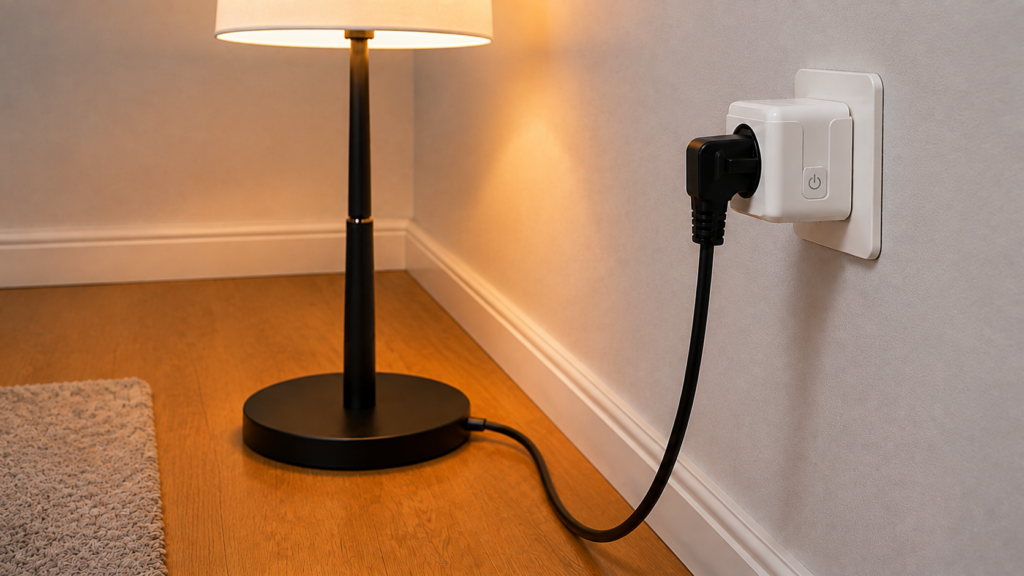
A Tuya TS011F plug paired to Zigbee2MQTT or ZHA usually turns on and off without any trouble. It’s the power, current, and voltage readings that fall over: blank, frozen on whatever value they last showed, or lagging so far behind the actual load that the numbers are useless for automations. Since the plug is already local, the instinct to blame the network is usually wrong. The cause sits in the plug’s own firmware and in how often Zigbee2MQTT asks it for numbers.
There isn’t one fix here. There are several distinct, sometimes-overlapping causes, and the right move depends on which one applies to a given unit. This walks through the decision tree: what firmware the plug is running, how polling actually behaves, what to do if the readings are still stuck, and the one variant that needs its own note.
What “TS011F” actually is
TS011F isn’t a single product. It’s the Zigbee device signature Tuya’s silicon reports, and it shows up under dozens of unrelated consumer brand names on plugs that are otherwise identical inside. Zigbee2MQTT officially supports it (also on ZHA and deCONZ) under the model name TS011F_plug_1, described as a smart plug with power monitoring.
Check the exact model string Zigbee2MQTT or ZHA detects on pairing (TS011F_plug_1, _plug_2, and so on) rather than assuming the brand printed on the box tells you anything. Different sellers rebadge the same silicon, and the specific behavior below is documented against TS011F_plug_1.
Because this is a Zigbee device, it also sidesteps a problem that trips up Tuya’s Wi-Fi plugs. Local Tuya Zigbee devices don’t need a local key or a Tuya IoT developer account pulled from the cloud the way LocalTuya-style Wi-Fi setups do. Whatever’s breaking power monitoring here, it isn’t a cloud dependency.
What should work out of the box
Once paired, a TS011F_plug_1 exposes switch state (on/off/toggle), power in watts, current in amps, voltage, cumulative energy in kWh, a countdown timer up to 43200 seconds, power-outage-memory behavior, switch-type button mode, indicator LED mode, and child lock. Pairing is a 5-second hold on the plug’s physical button, with the LED flashing blue to confirm pairing mode.
When someone says power monitoring “isn’t working,” it’s almost always the power/current/voltage trio specifically, not the whole device. That distinction is the first thing worth confirming before going further.
The firmware 1.0.5 problem
Starting with firmware 1.0.5, which ships pre-loaded on units manufactured since roughly Q4 2021, the plug stops automatically reporting power, current, and voltage. The values don’t disappear from the device’s capability, they just stop pushing out on their own. Zigbee2MQTT has to ask for them instead, by polling.
Here’s the part most forum threads skip: Zigbee2MQTT already does that. Because its device definition treats these measurements as polled rather than reported, Zigbee2MQTT polls the plug on a 60-second default interval with no configuration from you at all. That changes the diagnosis considerably. On an otherwise healthy setup running firmware 1.0.5, the numbers should still move, just slowly — roughly once a minute, whatever the load is doing in between.
So the symptom that actually matches this firmware change is sluggish readings, not absent ones.
Polling is not the same as the reporting firmware 1.0.5 disabled, and configuring it doesn’t restore the original behavior. Expect the numbers to update on the poll interval, not at the moment the load changes.
The fix: tuning measurement_poll_interval
Zigbee2MQTT exposes a per-device option, measurement_poll_interval, that controls how often it polls for power, current, and voltage. It takes a value in seconds, defaults to 60, and accepts -1 to disable polling entirely.
That default is why the option is better understood as a dial than a switch. If readings update about once a minute and that’s too slow for an automation, lower it. If readings are missing altogether, check whether the value has been set to -1 somewhere, because a disabled poll on a 1.0.5 plug produces exactly the blank entities people report.
devices:
  '0x00124b00xxxxxxxx':
    friendly_name: kitchen_plug
    measurement_poll_interval: 10
Ten seconds is a reasonable starting point for automation use cases. Keep it higher if the Zigbee mesh is already busy and the extra polling traffic is a concern. Note that the devices: block is keyed by the plug’s IEEE address, with friendly_name as a property underneath it — a block keyed by friendly name won’t load. The frontend’s device page shows the address. Restart Zigbee2MQTT after saving.
Still laggy or frozen after adjusting the interval
Lowering the interval fixes slow numbers. It doesn’t always fix a separate symptom some owners report even with polling running: power readings lagging well behind an actual load change, or freezing on the last non-zero value instead of dropping to zero once something is unplugged.
In at least one documented case, this was resolved by re-triggering the device’s Zigbee reporting configuration from the Zigbee2MQTT frontend’s reporting controls on the device page, rather than by changing the polling interval further. Frontend layout moves between versions, so look for the reporting section rather than a fixed tab position. That points to the underlying attribute-reporting configuration silently dropping on some devices and needing to be reapplied rather than reconfigured from scratch. This isn’t confirmed as a universal fix — it’s the one workaround reported to work for this specific lag/freeze symptom. If a stuck reading survives a sensible poll interval, reapplying reporting is worth trying before assuming the unit is faulty.
A stuck value that looks plausible is its own trap, and it’s the same reasoning problem as a last_seen timestamp that keeps advancing on a device that’s already gone: the field is populated, so nothing looks broken.
Honestly, a firmware change that silently disables automatic reporting is a rough way to treat owners who already built automations on those numbers — Zigbee2MQTT’s own device page describes it as breaking core functionality on the plug, which is unusually blunt language for a device reference. Polling closes the gap, but it’s a workaround for a regression, not a restoration.
The BW-SHP13 exception
Not every plug wearing this device signature behaves the same way once you’re past the firmware 1.0.5 issue. Units identifying as _TZ3000_amdymr7l, sold as the BlitzWolf BW-SHP13, report power, current and voltage unreliably in their own right: changes in the metrics can take a few minutes to show up, and a constant load can read 0 for several minutes before returning to the expected value. The device page states there is no known workaround for this behavior.
That’s a distinct bug from the mainline 1.0.5 reporting gap, not a more severe version of it.
| Detected as | Documented reporting behavior | What to do |
|---|---|---|
| TS011F_plug_1, firmware 1.0.5+ | No automatic reporting; Zigbee2MQTT polls on a 60s default | Lower measurement_poll_interval if 60s is too slow |
| _TZ3000_amdymr7l (BW-SHP13) | Unreliable regardless: multi-minute delays, constant loads reading 0 | No known workaround documented |
| Other TS011F_plug_N definitions | Not covered by the sources used here | Check that variant’s own device page |
The device page also references an alternative firmware image (1.0.13), but not as a routine over-the-air update. Installing it means creating a custom my_index.json and pointing Zigbee2MQTT at it with zigbee_ota_override_index_location. The documented reasons to do that are a plug that switches itself off indeterminately, or wanting to get out from under the overvoltage protection that later firmware versions added — neither of which is the reporting gap this article covers.
Don’t flash alternative firmware expecting it to fix broken power monitoring. The image referenced on the device page is for self-switching and overvoltage-protection behavior, it requires a manual OTA override index rather than the normal update path, and nothing in these sources ties it to the reporting gap. Rule out the poll interval first.
Why energy (kWh) keeps working when power doesn’t
One detail trips people up during troubleshooting. Cumulative energy, reported in kWh, keeps climbing normally even when instantaneous power, current, and voltage have gone quiet. Only the instantaneous metrics depend on the polling path.
That split is the fastest free diagnostic available. If the energy total in Home Assistant is still rising while the wattage reading sits blank or frozen, the metering hardware is fine and the problem is in how the instantaneous attributes reach Zigbee2MQTT. It’s also not unique to Tuya: the same energy-works-but-power-doesn’t pattern shows up on Aqara and Xiaomi plugs, where the underlying mechanism is the firmware refusing a reporting configuration for the instantaneous attributes while accepting one for the cumulative energy total. Different cause, same shape on the dashboard.
Whatever the readings are doing, they’re a Zigbee attribute problem, not a network or cloud one. The plug never depended on internet access to report locally, which is why blocking these devices at the firewall doesn’t cost you control. Anyone weighing Wi-Fi Tuya integrations against the Zigbee path will find this quirk is specific to the Zigbee side, not a factor that argues either way.
FAQ
Why does my Tuya TS011F smart plug show no power reading in Home Assistant?
The usual starting point is firmware 1.0.5 or later, which disabled automatic reporting of power, current, and voltage. But Zigbee2MQTT polls these plugs on a 60-second default, so that change alone normally produces slow readings rather than none. A completely blank reading more often means polling has been disabled (measurement_poll_interval set to -1), or that the unit is one of the variants with its own reporting problem.
What is measurement_poll_interval and do I need it for my Tuya plug?
It’s a Zigbee2MQTT device option setting how often Zigbee2MQTT requests power, current, and voltage from the plug, in seconds. It defaults to 60 and -1 disables polling. You don’t have to add it to get readings — you set it when 60 seconds is too slow for what you’re automating.
Does the firmware 1.0.5 bug affect all Tuya TS011F-family plugs?
It affects units running that firmware version or later, which covers most plugs manufactured since roughly Q4 2021. It doesn’t cover every distinct problem in this device family. Units identifying as _TZ3000_amdymr7l (BW-SHP13) have a separate, unrelated unreliable-reporting issue.
Why does energy (kWh) work but instantaneous power doesn’t?
Cumulative energy keeps updating while the instantaneous power, current, and voltage attributes depend on the polling path. The meter itself is working.
Is a frozen or stuck power reading a hardware fault or a configuration issue?
Usually a configuration issue, not a faulty unit. It’s typically the poll interval (too long, or disabled) or a dropped attribute-reporting configuration, which one reported case fixed by reapplying reporting from the Zigbee2MQTT frontend. The _TZ3000_amdymr7l variant is the one case with no documented workaround.
What this piece verified
This is a research-synthesis piece, not a bench test. No TS011F unit was purchased or paired for it, consistent with the tuya-sonoff-local-only cluster’s current no-owned-hardware stage. The exposed-property list, pairing method, poll-interval default and bounds, the BW-SHP13 divergence, and the alternative-firmware procedure all come from Zigbee2MQTT’s official TS011F_plug_1 device reference page. The lag/freeze symptom, the reporting-reapply workaround, and the energy-versus-instantaneous split come from a Home Assistant Community troubleshooting thread describing the same symptom directly.
Everything here stays local. This is a Zigbee device with no Tuya cloud account or local key involved at any point, before or after the fix.
Worth checking three things on your own install: the exact model string Zigbee2MQTT detected, whether energy is climbing while instantaneous power isn’t, and what measurement_poll_interval is actually set to before concluding polling is broken.
What still depends on vendor and community behavior is whether the 1.0.5 reporting change is ever reversed, and whether the reporting-reapply workaround holds beyond the single reported case behind it.