

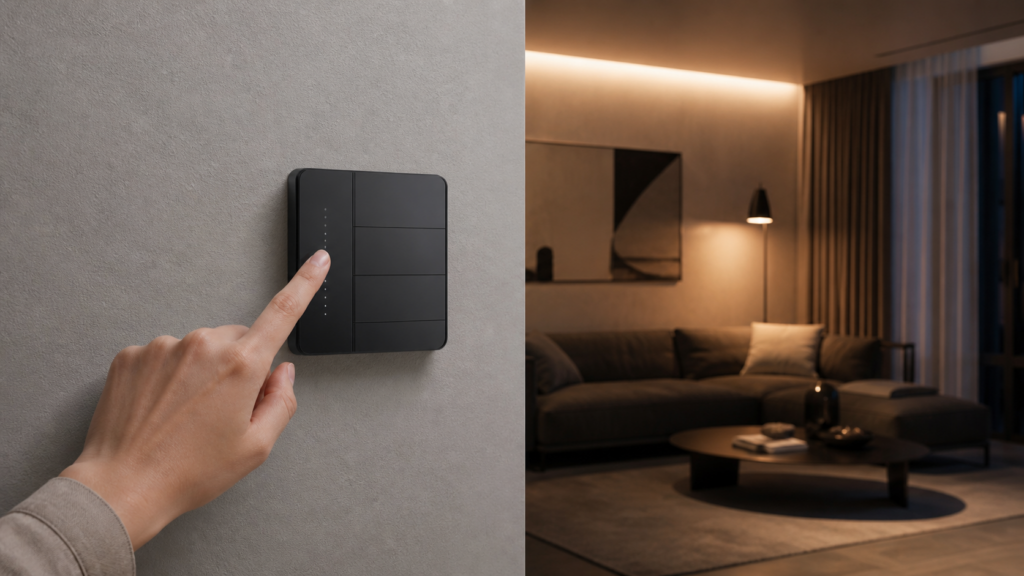
Aqara Wall Switch Z1 Pro: Zigbee2MQTT + Home Assistant Local Setup
The Z1 Pro is Aqara’s current-generation wall switch for the Asian and global markets, replacing the H1 series as the default recommendation in Chinese retail channels. It pairs cleanly with Zigbee2MQTT (Z2M) and Home Assistant without any cloud dependency — but the pairing sequence differs from the H1, there are a few exposed quirks in Z2M’s implementation worth knowing upfront, and the 4-gang variant has a specific decoupled mode bug that the upstream maintainers have closed as stale.
If you came here from an H1 guide or an H1 setup that’s already working, this is not a drop-in continuation. The Z1 Pro has a different pairing ritual, a different entity set, and a fourth-gang wireless button on the 4-gang model that behaves differently from the relay-attached rockers.
This guide covers the Z1 Pro model numbers, the Z2M entity set including energy monitoring, decoupled mode configuration, the 4-gang bug and its workaround, and a privacy check at the end confirming what traffic the device generates when running Z2M.
The general approach to running Aqara devices locally without a hub is covered in our pillar guide to Aqara Zigbee devices in Home Assistant without a hub — read that first if you’re new to Z2M.
Z1 Pro models: which variant do you have
The Z1 Pro lineup is gang-based. Each model number maps to a number of physical rockers, and every model also carries a touch-based wireless slider on the switch face.
| Model number | Variant | Market |
|---|---|---|
| ZNQBKG42LM | Single rocker (1-gang) | Global / Asian |
| ZNQBKG43LM | Double rocker (2-gang) | Global / Asian |
| ZNQBKG44LM | Triple rocker (3-gang) | Global / Asian |
| ZNQBKG45LM | Quad / 4-gang (3 relay rockers + wireless button) | Global / Asian |
There’s also a SEA (Southeast Asia) variant marketed toward the ASEAN region. The hardware runs the same Zigbee stack — pairing and Z2M entity exposure are identical.
The double rocker (ZNQBKG43LM) is the most common in local resale channels. The 4-gang (ZNQBKG45LM) is the one with the decoupled mode bug discussed later — if that’s your device, read that section before you configure anything.
One thing to verify immediately after pairing: check the model string Z2M reports against the label on the device itself. There are occasional reports of a Z1 Pro variant interviewing as a neighbouring gang model in some firmware revisions, which causes wrong endpoint mapping and confusing entity behavior. If Z2M shows a model number that doesn’t match your hardware, run a force interview from the device’s Z2M page and the correct endpoints should resolve.
What you need before pairing
You don’t need an Aqara hub. You don’t need the Aqara Home app. You need a Zigbee USB coordinator and Z2M running.
Coordinator: A CC2652P-based USB dongle works well here. The SONOFF Zigbee 3.0 USB Dongle Plus is the most commonly cited option in Chinese smart home communities — SMZDM buying guides specifically recommend it over Aqara’s proprietary multi-mode gateway because the gateway pushes telemetry to Aqara’s cloud continuously and locks you into the Aqara ecosystem. At roughly ¥70 (~SGD 15), the CC2652P dongle is the cheaper, cleaner option for anyone running Z2M.
Z2M version: Make sure Z2M is current. Both ZNQBKG43LM and ZNQBKG45LM got their Z2M device pages added in late 2024 following GitHub issues #21668 and #21687. Older Z2M versions won’t recognize these model numbers.
Factory reset the Z1 Pro first if it was ever paired to an Aqara hub or an Aqara Home account. A device that’s been claimed to an account won’t re-pair cleanly over Zigbee until it’s fully reset.
Pairing the Z1 Pro to Zigbee2MQTT
This is where most people coming from the H1 series get stuck. The pairing sequence is different.
For the H1, you typically hold a button for several seconds. For the Z1 Pro, the sequence is:
- Enable permit join in Z2M (the “Join” toggle in the Z2M frontend, or via the Z2M integration in HA).
- On the Z1 Pro: double-tap the button, then immediately hold for 5 seconds. The LED should flash to indicate it’s entered pairing mode.
That double-tap-then-hold is the specific friction point. The HA community threads on the Z1 Pro are mostly people who skipped the double-tap and then wondered why holding for 5 seconds does nothing. If the switch isn’t responding to the hold, you haven’t done the double-tap first.
Once paired, Z2M will identify the device. Cross-check the model string against your physical device label. If there’s a mismatch, run a force interview immediately rather than proceeding with misconfigured endpoints.
What Z2M exposes for the Z1 Pro
The Z1 Pro’s entity set is meaningfully richer than the H1. Here’s what Z2M surfaces per device:
Per-rocker endpoints:
– Switch state (on/off) per button
– operation_mode — control_relay (default) or decoupled
– power_on_behavior — on, off, previous, or inverted (configurable per endpoint)
– Action events for button presses (single, double, hold — configurable via click_mode)
– Anti-flicker mode toggle (per endpoint)
Device-level:
– Power (W), voltage (V), current (A), and cumulative energy (kWh) via the device’s electricity meter
– Device temperature (°C)
– OTA firmware update support, handled directly through Z2M
The energy monitoring is a real differentiator over the H1. The Z1 Pro reports actual power draw, not just switch state. If you’re running a circuit with a meaningful load, the kWh entity feeds HA’s energy dashboard directly.
The power_on_behavior setting is worth configuring deliberately if you’re in a region with unreliable mains supply. previous restores state after an outage. off is safer if the circuit controls something you don’t want auto-starting.
click_mode controls whether Z2M fires events on fast single-presses or waits to detect multi-clicks. fast mode gives sub-second response. multi_click mode enables double and hold events but adds latency on single presses. Most people want multi_click if they’re using the button for automations; if the switch is just controlling a relay directly, fast is cleaner.
Setting up decoupled mode on the Z1 Pro
解耦模式 (decoupled mode) disconnects the physical button from the relay. When you press the button, it fires a Z2M action event without changing the relay state. Home Assistant receives the event and handles the outcome via automation.
The canonical use case: smart bulbs. A smart bulb needs continuous power to stay responsive. If the wall switch cuts the relay when someone presses it, the bulb goes dark and loses its Zigbee connection. Decoupled mode keeps the relay permanently on and lets HA handle the lighting logic when the button is pressed.
Chinese HA communities on V2EX and SMZDM cite this as the primary reason to prefer Z2M over the Aqara Home app for the Z1 Pro. The Aqara app’s automation logic for this scenario is more limited; Z2M plus HA gives you full flexibility.
Configuring decoupled mode via Z2M frontend:
Open the Z2M device page for your Z1 Pro. Under the expanders panel, find operation_mode for the endpoint you want to decouple. Change it from control_relay to decoupled. Repeat for each button endpoint you want to use for automations.
Via MQTT directly:
Publish to zigbee2mqtt/<device-name>/set:
{"operation_mode_left": "decoupled"}
For the double rocker, the keys are operation_mode_left and operation_mode_right. For the 4-gang model, read the next section before you try this.
Automating a button press in HA:
Once decoupled, button presses arrive as action events. In HA, create an automation triggered by zigbee2mqtt/<device>/action. The action values are left_single, left_double, left_hold (and equivalent right-side variants on the double rocker). Toggle your smart bulb group from that trigger and the relay state never changes.
This pairs naturally with smart bulbs — see our setup for the Aqara LED Bulb T2 in Zigbee2MQTT and Home Assistant.
The decoupled mode bug on the 4-gang (ZNQBKG45LM)
If you have the ZNQBKG45LM, there’s a specific problem you need to know about before configuring decoupled mode on any button other than the top one.
The bug, documented in Z2M issue #23767: setting operation_mode on the center or bottom buttons via Z2M does not reliably take effect. The button continues to control its relay regardless of the mode change. Worse, attempting to set the center button’s mode can unexpectedly change the top button’s mode as well. The issue was closed as not planned.
What this means practically:
– The top button can be set to decoupled mode reliably.
– The center and bottom buttons cannot be reliably decoupled via Z2M.
– Don’t attempt to set a center button mode and assume it applies — verify by pressing the button and watching relay state.
Workaround:
The ZNQBKG45LM’s fourth gang is the wireless button at the bottom of the switch face. This button has no relay attached to it at all. It behaves purely as a wireless action button, firing single, double, and hold action events without any relay interference. It’s unaffected by the decoupled mode bug because there’s no relay to interfere with.
If you need automation triggers from the 4-gang, use the wireless button for the actions you care about most, and leave the relay-attached buttons in control_relay mode for their direct load control function. This is the practical approach the HA forum community landed on before the Z2M issue was closed.
Automation examples with the Z1 Pro in Home Assistant
Toggle a smart bulb group on button press (decoupled left rocker):
automation:
  - alias: "Z1 Pro left button toggles living room bulbs"
    trigger:
      - platform: mqtt
        topic: "zigbee2mqtt/z1-pro-living-room/action"
        payload: "left_single"
    action:
      - action: light.toggle
        target:
          entity_id: light.living_room_bulbs
Using the Z2M integration’s device triggers in HA’s UI automation editor is cleaner than raw MQTT if you want the action mapped through the device registry.
Double-press the wireless button for a scene change (ZNQBKG45LM):
automation:
  - alias: "Z1 Pro wireless button double-press sets movie scene"
    trigger:
      - platform: mqtt
        topic: "zigbee2mqtt/z1-pro-lounge/action"
        payload: "double"
    action:
      - action: scene.turn_on
        target:
          entity_id: scene.movie_mode
Power monitoring alert:
automation:
  - alias: "Z1 Pro circuit over 2000W alert"
    trigger:
      - platform: numeric_state
        entity_id: sensor.z1_pro_power
        above: 2000
    action:
      - action: notify.mobile_app
        data:
          message: "Z1 Pro circuit drawing over 2000W"
Replace sensor.z1_pro_power with your actual entity ID from Z2M.
Privacy and cloud check
When the Z1 Pro is paired to Z2M via a USB coordinator, it communicates exclusively over Zigbee to the coordinator. There is no internet-facing component. The switch does not phone home, does not send telemetry, and has no awareness of any cloud endpoint.
Contrast this with the Aqara hub approach: an Aqara M2 or E1 hub paired in Aqara Home mode maintains persistent connections to Aqara’s cloud servers. Your switch state changes, your energy readings, and your firmware version are visible to Aqara. Our Aqara Hub E1 local integration guide covers this in detail if you’re deciding between hub-based and coordinator-based paths.
With Z2M, the device is inert to any external network. You can verify this by watching DNS queries from your IoT VLAN after pairing — you’ll see nothing from the coordinator IP or the switch. Compare that to the traffic baseline you’d see from an Aqara hub.
OTA firmware updates for the Z1 Pro are handled through Z2M directly. No app, no account, no outbound connection needed for the update itself once Z2M has fetched the firmware manifest. The manifest fetch is a one-time HTTPS request to the Z2M OTA server; after that, the update traffic is purely Zigbee-over-air.
Troubleshooting
Device not detected after pairing attempt:
The pairing sequence is the most common failure point. Confirm you’re doing double-tap then hold-5-seconds, not just a hold. If the LED doesn’t flash during the hold, the double-tap didn’t register — try again with a slightly slower double-tap cadence.
If the switch was previously claimed to an Aqara Home account, it won’t pair to Z2M until fully factory reset. Hold the reset button (usually recessed at the side) for 10+ seconds until the LED cycles.
Wrong model number showing in Z2M after pairing:
Run a force interview from the Z2M device page. The device description, endpoint count, and action list should update to match your actual gang count. If it persists, check your Z2M version — older releases don’t carry the newer Z1 Pro definitions.
Decoupled mode not applying to center/bottom buttons on ZNQBKG45LM:
This is the known bug in Z2M issue #23767. See the dedicated section above. Use the wireless button for automation triggers instead.
Button presses not appearing as events in HA:
Check that click_mode is set to multi_click if you’re expecting double or hold events. In fast mode, only single-press actions fire. Also verify the MQTT action topic is what your automation is listening to — the topic format is zigbee2mqtt/<friendly-name>/action.
Frequently asked questions
Does the Aqara Z1 Pro work without the Aqara hub or Aqara cloud?
Yes. Paired directly to a Zigbee USB coordinator running Z2M, the Z1 Pro operates fully locally. No Aqara account, no hub, no cloud connection.
How do I put the Aqara Z1 Pro into pairing mode for Zigbee2MQTT?
Double-tap the button, then hold for 5 seconds while Z2M’s permit join is active. This differs from the H1’s pairing sequence — a plain hold without the double-tap won’t enter pairing mode.
How do I set up decoupled mode on the Z1 Pro to control smart bulbs without cutting power?
Set operation_mode to decoupled on the relevant endpoint via the Z2M UI or MQTT. The button then fires action events to HA without touching the relay. Our H1 no-neutral decoupled mode guide explains the concept in more detail.
Why does decoupled mode only work on the top button of my 4-gang (ZNQBKG45LM)?
There’s a firmware/Z2M interaction bug (issue #23767) where only the top button reliably enters decoupled mode on the ZNQBKG45LM. Center and bottom buttons don’t respond correctly to the mode change. The workaround is to use the fourth wireless button for automation triggers — it has no relay and isn’t affected by the bug.
What’s the difference between the Aqara Z1 Pro and H1 for Home Assistant use?
The Z1 Pro adds per-endpoint energy monitoring (power, voltage, current, kWh) and a device temperature sensor that the H1 family doesn’t have. The 4-gang adds a wireless button. The pairing sequence is different. Otherwise, the Z2M setup approach and decoupled mode logic are the same as the H1 EU double-rocker series.